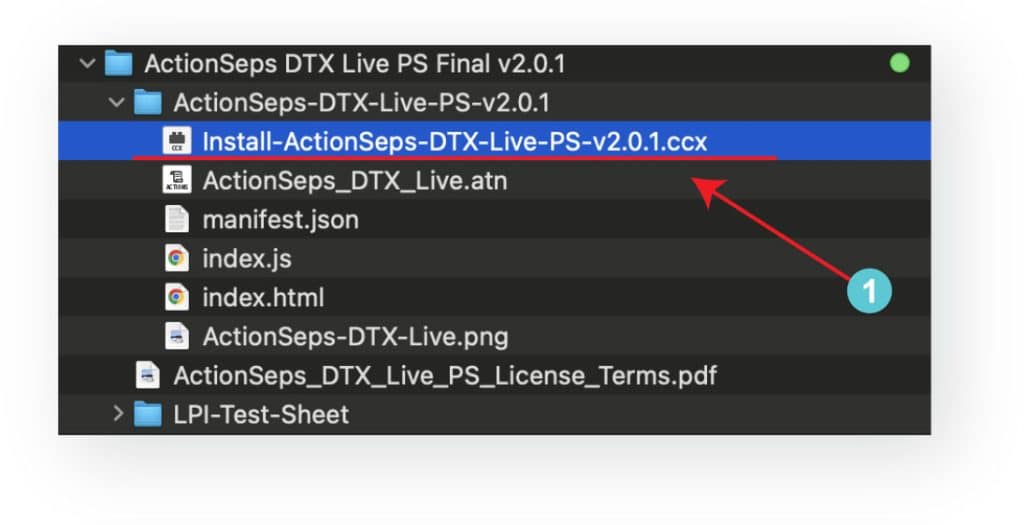
Double-click the .CCX file and follow the prompts.
Step 2 - Install the Plugin
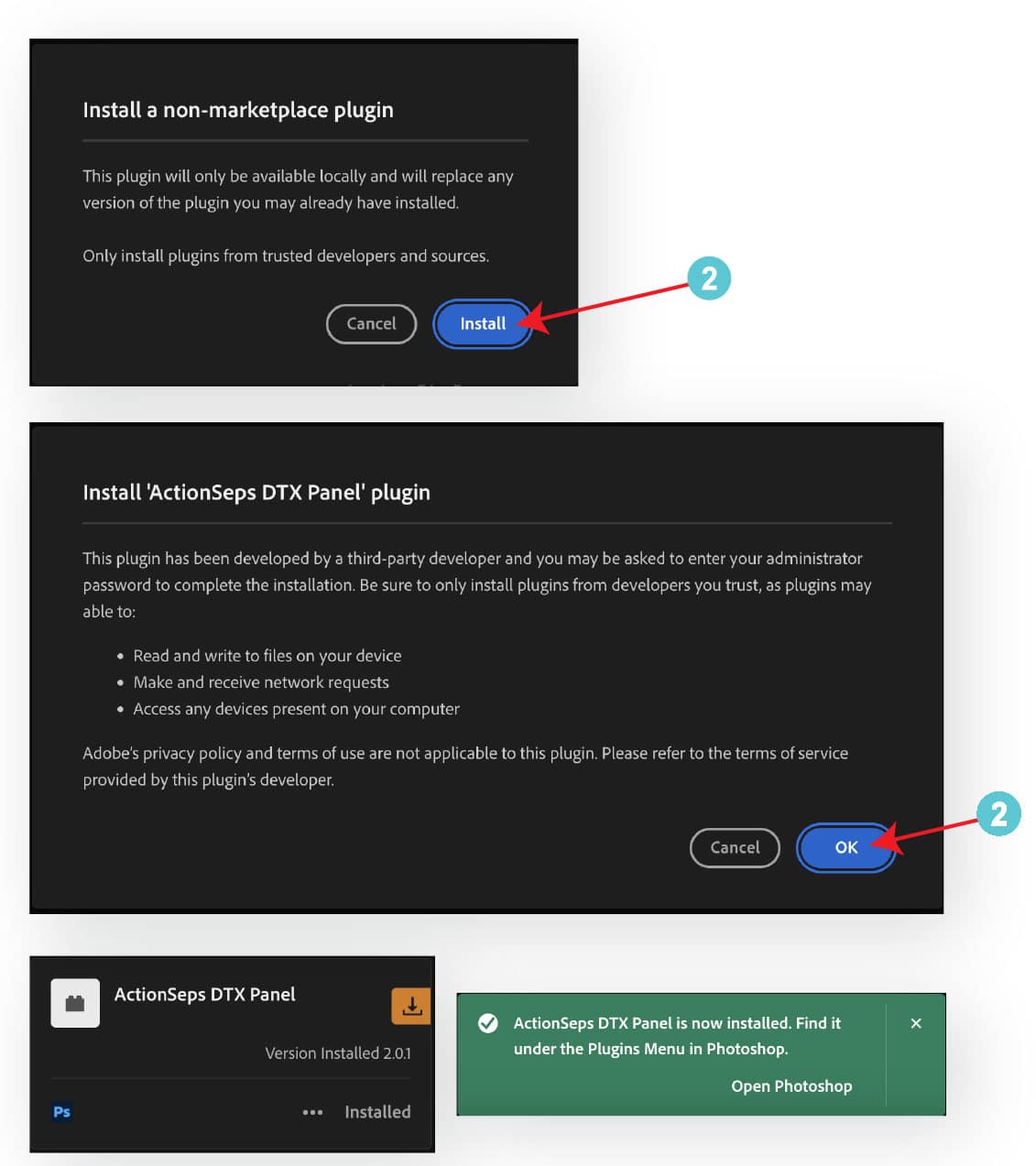
Follow the prompts. Click Install, and Okay.
Step 3 – Open the Plugin
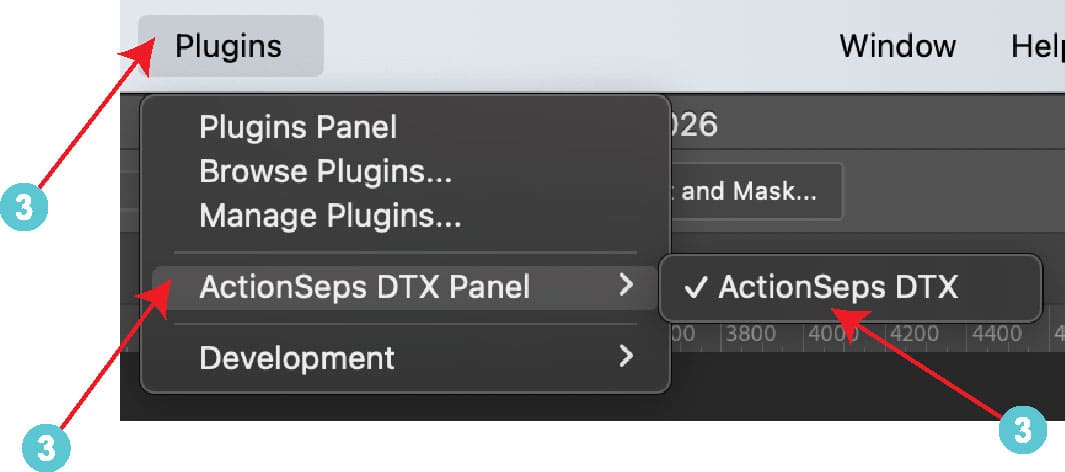
Open Photoshop → Plugins → ActionSeps™ DTX Panel
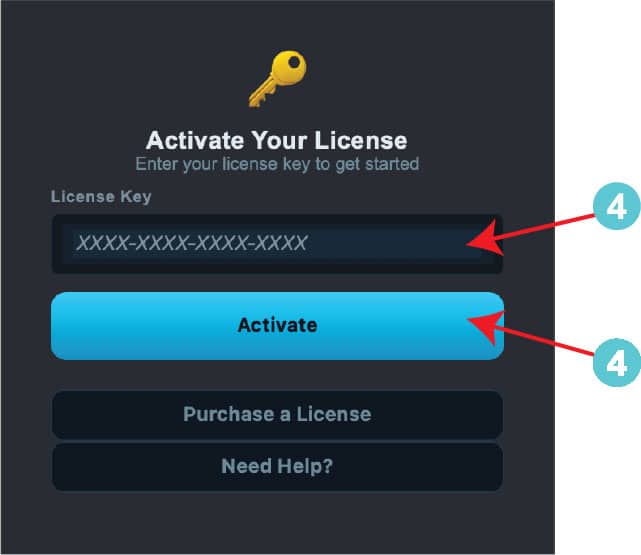
Step 4 – Activate License
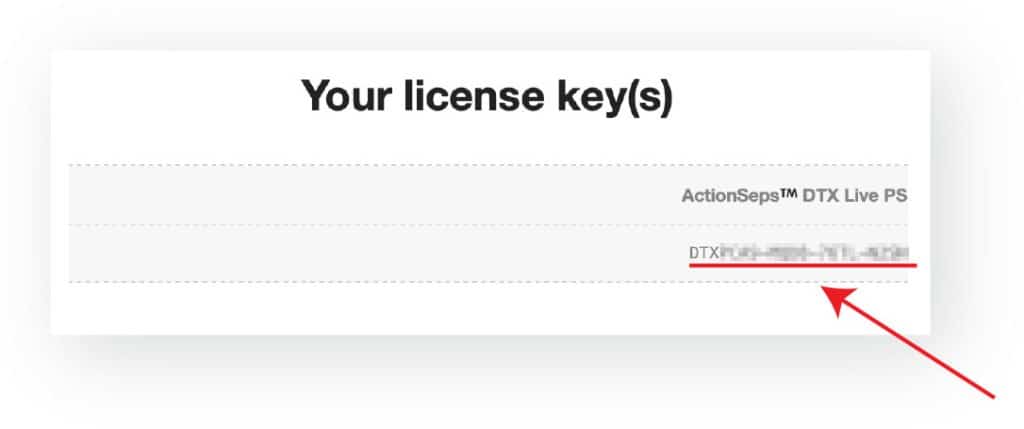
Enter your license key from your email and make sure you’re connected to the internet.
That’s it. Open your artwork and start creating print-ready DTF or DTG files. If you run into any issues, reach out to:support@actionseps.com
Click the MY ACCOUNT button below anytime to access your subscription, and downloads. Use the username and password sent to your email after purchase to log in. If you don’t see the email, check your spam or junk folder.